To install Condres OS on your Acer s1003 tablet you must follow the following procedures:
Download Condres OS for PCs and / or tablets that have 32 bit boot and 64 system from here
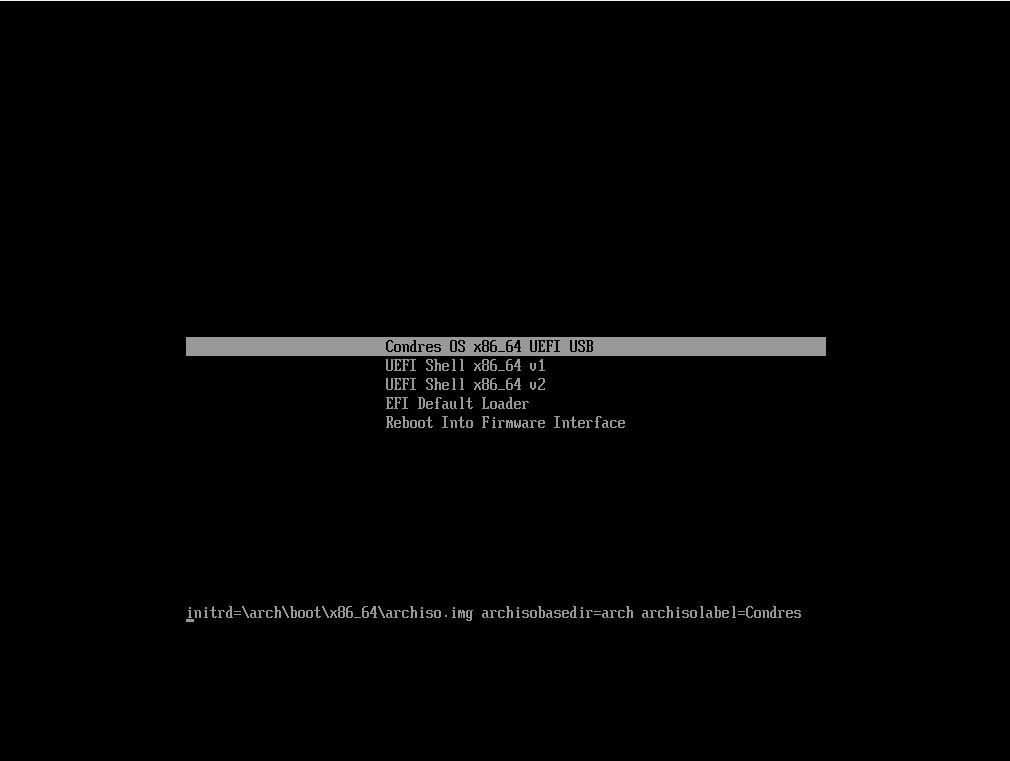
Before starting the system you must edit the boot and remove the nomodeset entry.
linux /arch/boot/x86_64/vmlinuz archisobasedir=arch archisolabel=Condres add_efi_memmap nomodeset
Install Condres OS.
Note: We remind you to install the system you need to create the /boot/efi partition. Without it the system will not proceed with the installation.
When the system is installed, you need to install the package that contains the firmware for your tablet.
pacman -S firmware_acer_one_s1003
The following package contains the modules necessary for the correct functioning of the system. Here’s the list:
- firmware/brcm/brcmfmac43430a0-sdio.txt
- firmware/brcm/brcmfmac43430a0-sdio.bin
- firmware/brcm/brcmfmac43430a0-sdio.txt
- firmware/bluetooth/BCM4343A0.hcd
- firmware/Acer-OneS1003-V1.15-OneS1003/HiFi.conf
- firmware/Acer-OneS1003-V1.15-OneS1003/Acer-OneS1003-V1.15-OneS1003.conf
In the next version of the sign will also integrate webcam support.
Features
What’s fixed by this
-
Wireless network
- Fixed by Armbian’s patched firmware
-
Audio
- Integrated speakers and headphones
-
HDMI audio
- Finally the hdmi audio also works
-
Bluetooth
- Fixed by Angelo Scarnà (Team Condres OS)
What does not work (yet?)
-
Screen auto-rotate
-
GNOME on Wayland is glitchy
- Use XOrg for the time being
-
Webcam