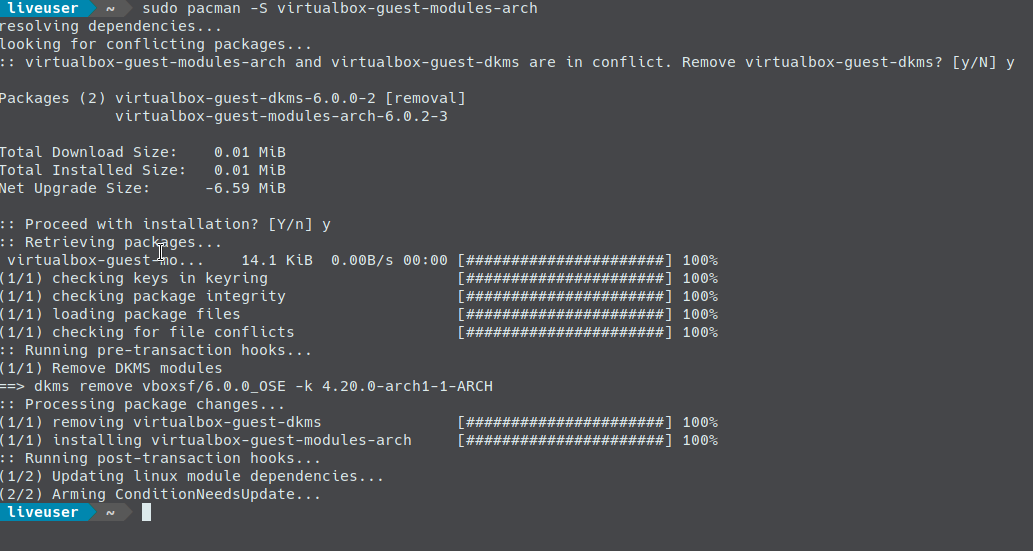
Unfortunately due to a failed installation of the virtualbox-guest-modules-arch package within the iso image the installation fails.
Here is the screen of the failed installation:
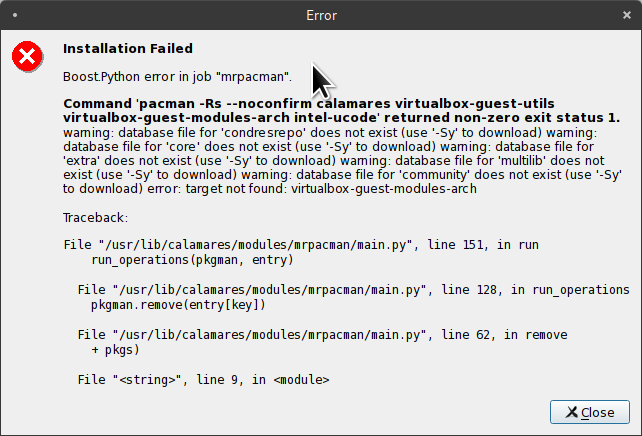
We thank the user of the wizardfromoz user of the linux.org discussion forum
To solve the problem while waiting for the new iso images, we advise you to proceed like this:
- open the terminal and type the following commands
- sudo pacman -Syy sudo pacman -S virtualbox-guest-modules-arch
Reopen the installer again and proceed with the installation which will now be successful. We remind you that the installer searches for the internet connection and consequently will fail if you are not connected to the internet. We advise you to connect or via LAN cable or wiki as you have access to the desktop.